
If you’ve missed the offer setup wizard while setting up your account – Don’t Worry! Navigate to the “Offers” tab in the top menu.

Once you reach this page, you have 2 options –
Case 1 – If you haven’t created an offer before
In this case you will see a “Launch The Offer Setup Wizard” tab at the top of the page. (As shown below) You just need to click on the button and you will reach the setup wizard.

Case 2 – If you have created an offer before
In this case you will be able to see a “New Offer” button on the right side of the page (as shown below). Click this button to launch the setup wizard.

Once you’ve reached the offer setup wizard page you would start with the first step.
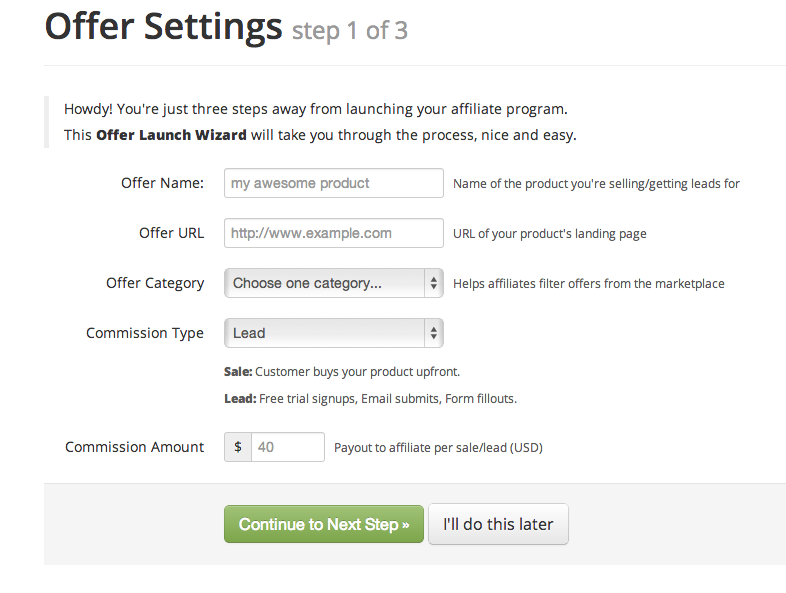
You start-off by setting an “Offer Name”; this might be the name of the product you are selling or something else. Next, you enter the “Offer URL” which is the landing page URL for your product. In the “Offer Category” tab you need to select a product category form the options given that might be gambling, health, social media, etc.
After this is set, you enter the “Commission Type”; this may be “Lead” or “Sale”.
“Lead” refers to a commission type where the merchant gives the affiliate a commission when the affiliate generates a lead for the merchant’s product. This may be through trial signups, email submissions or form fill-outs.
“Sale”, as the word suggests, refers to a commission type where the merchant pays the affiliate when he/ she completes a sale for the merchant.
Once the “Commission Type” is set, you just need to enter the amount in the “Commission Amount” tab. This amount is to be entered in USD per sale or lead, as selected in the previous tab.
On completion, click the “Continue to Next Step” button below that would lead to Step-2 of the process. The screen would look like this –
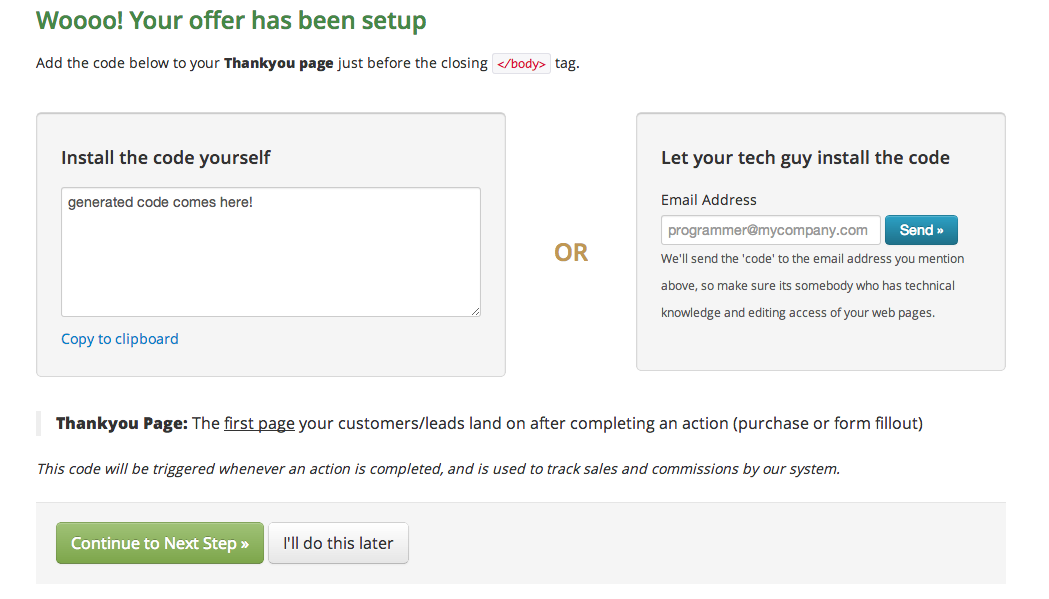
Now that you have completed setting up the offer, Step-2 guides you how to insert the code to your Thank-you page.
“Thank-you Page” refers to the page where the customer or a lead reaches once the “Action” is complete. This action may be a sale, form fill-out, trial signup, etc.
Dekh provides two options for you to install the code. You will be able to see the generated unique code for your offer in the box – “Install the code yourself”. You may copy it using the “Copy to Clipboard” link at the bottom, or directly copy it from the box. If you have a tech guy who handles your programming, enter his/ her email address in the box on the right, and the code would be sent across right then.
This code triggers our systems when an action is completed on your site, and we are able to track the complete commissions process.
After you are done installing, copying or sending the code, press the “Continue to Next Step Button” that would lead you to the third and final step of the process.
The third step screen would look like this –
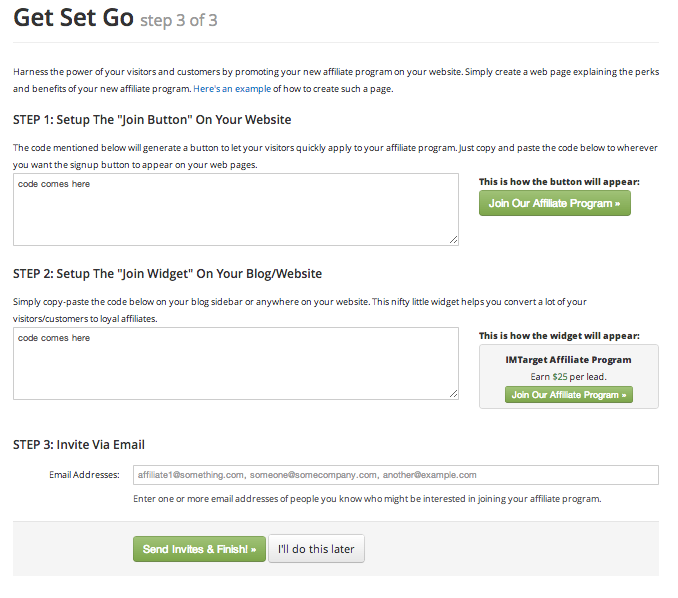
This step help you to grow your network and add affiliates to your offer. This is done through your product website or directly.
STEP 1 - You just need to make an “Affiliates” page on your website that explains your affiliate program, it’s payouts, benefits, terms and conditions, etc. Below the page you need to insert a “Join Now” button. We provide the complete code that creates a button on your page. Affiliates can now easily join your affiliate offer through your website. Just copy the code and place it on the page you want to. The button would look like this –

STEP 2 – You can also add a widget to your website. An example of the widget is shown here –
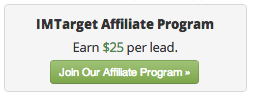
This widget enables you to advertise your affiliate program on your website. Such widgets attract a lot of affiliates to join in. You can copy the code for the widget from the box under “STEP 2”. This code can be placed anywhere you want to add the widget on your website.
STEP 3 – Dekh also allows you to invite affiliates you may know, or you might want to join, through email. Just enter as many email addresses here separated by commas. Once you’ve done this press the “Send Invites and Finish” button on the bottom of the page. You would be lead to your dashboard now.
You’re done! That’s it! It is really this easy to start an affiliate program.